




Background:
The SPACE EDUCATORS’ HANDBOOK began (1989) as a project in Johnson Space Center’s New Initiatives Office (NIO). NIO was a NASA “think-tank” organization occupying a building offsite from the main JSC complex. Goals of the organization included innovating new technologies into traditional space methodology. To this end NIO examined the Macintosh computer as a space exploration data base. The Macintosh point and click user interface offered a novel computer platform which made the SPACE EDUCATORS’ HANDBOOK possible. The idea was to collect existing NASA printed resources (text and graphics) and adapt them to the Macintosh. Each MAC came with Hypercard, the father of point-and-click programs. This assured software commonality at no cost to users having Macintosh computers.
After 4,000 hours of converting NASA printed resources to the Macintosh Hypercard format, an interactive space encyclopedia was made available by the NIO. Topic files called “stacks” dealt with: astronomy, science fiction as a teaching tool, an interactive astronaut photo/bio data base interleaved with space missions, digital space comics, a space calendar, a space coloring book, space knowledge (rocketry, etc.), spin-offs, space history, and many other topics. As others discovered the usefulness of the concept, clones of the SPACE EDUCATORS’ HANDBOOK began to appear about NASA and the commercial sector.
In 1992, with the maturing of PC Windows as a Mac-like operating system, the HANDBOOK was converted to a PC software type of Hypercard program called Toolbook. Additionally, digital Quicktime movies were added to the data base as a file called SPACE MOVIES CINEMA. With the onset of the Mosaic web browser, the SPACE EDUCATORS’ HANDBOOK became a web site in 1995. Shortly, thereafter, (1997) the web content was deposited on a CDROM. Since then the HANDBOOK content has been updated annually on the CDROM, now a Data DVD, and web site (http://er.jsc.nasa.gov/seh/).

Uses for the SPACE EDUCATORS’ HANDBOOK:
1. The HANDBOOK is a wonderful science resource for a space unit in the classroom. By simply surfing through its content in a random fashion, countless ideas come forth for classroom application. For example, clicking on the space calendar for the day’s date reveals an event from space history which can serve as a discussion topic.
Question: Find the Space Calendar on the HANDBOOK home page. What happened in space history today? Find your birthday using the space calendar. What happened on your birthday in space history?
Activity: Create a template WORD file for - WHAT HAPPENED IN SPACE HISTORY ON YOUR BIRTHDAY. Copy and paste the HANDBOOK’s event and related graphic into the template. Print the WORD file on a local printer for the student.
2. Many use the HANDBOOK contents to supplement other studies. This is best accomplished through the HANDBOOK’s alphabetic index table. Topic are listed according to grade level applicability in the table. A link to the table appears as the first “hot word” on the HANDBOOK’s home page.
Question: You are teaching a biology class. Can you find an item in the index which might supplement knowledge about plants for the class? (Hint: After opening the table, look for biology among the list of items beginning with the letter “b” or click on the browser’s “find” command and enter the word “plant” in the search field.)
Question: You are an economic teacher. Is there something in the index table which might show how space exploration had an economic impact on our nation?
Activity: Using the HANDBOOK’s home page and index page, identify helpful links for the study of:
a. geometry, b. spacecraft design, c. space history, d. pioneers of aviation, c. law, d. physics, e. robotics.
3. The aerospace and educational community appreciate the HANDBOOK as a source of space facts. A site on the internet called ASK JEEVES made the HANDBOOK one of its main space fact sites.
Question: Scroll down to the astronaut icon on the HANDBOOK home page. Click it and find how old Neil Armstrong is, where he was born, and his age when he landed on the Moon.? Obviously, some math is required to answer these questions, i.e., subtracting Neil’s birth date from today’s date and July 20, 1969.
Question: Scroll down to the astronomy icon on the HANDBOOK’s home page. It’s the picture of
an astronaut holding the whole solar system in his arms. Find who discovered Pluto and when?
(Incidentally, several years ago, an British web publication queried web search engines with this question. The HANDBOOK was the lone astronomy site to have the answer. As a result, the HANDBOOK’s astronomy home page was printed in the British publication’s issue.)
Activity: Prepare a report on the rescue of Apollo 13 using HANDBOOK resources.
4. One of the shortcomings of the HANDBOOK CDROM had been a lack of a global search capability. Web browsers can search individual web pages for words, but there are thousands of pages in the HANDBOOK. For that reason a topical-alphabetic index was added in 2000. The original diskette version in Hypercard possessed a global search program able to peruse the entire content (30 plus stacks) for the specified search word. Now (2009) the HANDBOOK DVD can be searched in the same fashion, i.e., for any word, by using the process described below under the heading: SEARCHING THE SPACE EDUCATORS’ HANDBOOK DVD.
Question: There is one area of the DVD where the web browser’s search feature is very useful. This page is called the BEST OF NASA’S SPINOFFS. Scroll down to OTHER FILES on the HANDBOOK home page and select BEST OF NASA’S SPINOFFS. Click on it. Open the browser’s search field. Type in the word: basketball. What did NASA technology do for the game of basketball? What famous former NBA player is featured in the article?
Activity: Using the search feature of a web browser (i.e. NETSCAPE or INTERNET EXPLORER), find at least six NASA spinoffs which contributed to medicine. Write a report about them.
5. Besides being a resource for facts about space exploration, the HANDBOOK is an extremely helpful resource for pictures, graphics, and digital movies. Copyright laws severely limit application of much of the web’s content into student exercises. This is not so with most of the HANDBOOK graphics, photos, and digital movies. Because the NASA content is in the public domain, it can be freely used in the classroom. Multiple copies can be printed and published works may feature the picture content as well. Where the content is copyrighted work, the HANDBOOK makes note that the original artist or creator must be contacted for permission. When NASA content is used, NASA requests, as a courtesy, a citation be included in a published work.
Question: Copy a photo of Neil Armstrong (scroll down to Astronauts and click the icon to find Neil’s photo), the Apollo 11 Mission Patch (scroll down to OTHER FILES and click on Apollo Missions ), and a paragraph about his educational background (same place as Neil’s picture) from the HANDBOOK. Paste the items into a Windows WORDPAD file. (Hint: Use the right click capability of your mouse to copy these items from the HANDBOOK and paste them into the WORDPAD document you created.) Instructor demonstrates the process first.
Question: Where was the last man to command a mission to the Moon born? (On the HANDBOOK home page, go to “Apollo Missions” and select the last one, then click on its commander.)
Activity: Survey the crews of the six Apollo missions that landed men on the Moon. How many of the astronauts had military careers? What was the average age of the 12 men who walked on the Moon?
6. The HANDBOOK content includes material designed for classroom activities. The recent addition (SUMMER 2000) of COLUMBUS – SPACESHIP AMERICA is an example. Initially, only the SCIENCE FICTION / SPACE TECHNOLOGY pages provided such activities. An entire course on high school physics (created by NASA Goddard Space Flight Center) was included on the DVD in 1999. The course is self contained on the DVD with lesson plans, math helps, and reference materials.
Question: Click on the COLUMBUS link on the HANDBOOK home page. Scroll the left topic bar of the Columbus Spaceship America page down to the topic NAVIGATION and click it. From the NAVIGATION page, list items needed for 15th Century mariners to navigate by “dead reckoning.”
Activity: Compare the size of the Santa Maria to the space shuttle orbiter. (Hint: Use the HANDBOOK’s home page to reach the Space Shuttle pages or go to the SPACE KNOWLEDGE pages. Find Santa Maria’s size from the Columbus Spaceship America pages.
7. The HANDBOOK DVD (and website) is often used as a printable source for a class workbook. For example, the SPACE COLORING BOOK (accessed from the HANDBOOK home page) is arranged as a single scroll page. This permits a teacher to print the contents on a local printer’s 8.5” X 11” paper. By copying, collating, and stapling the 20 sheets into multiple booklets, a coloring book is available to each student in the elementary classroom.
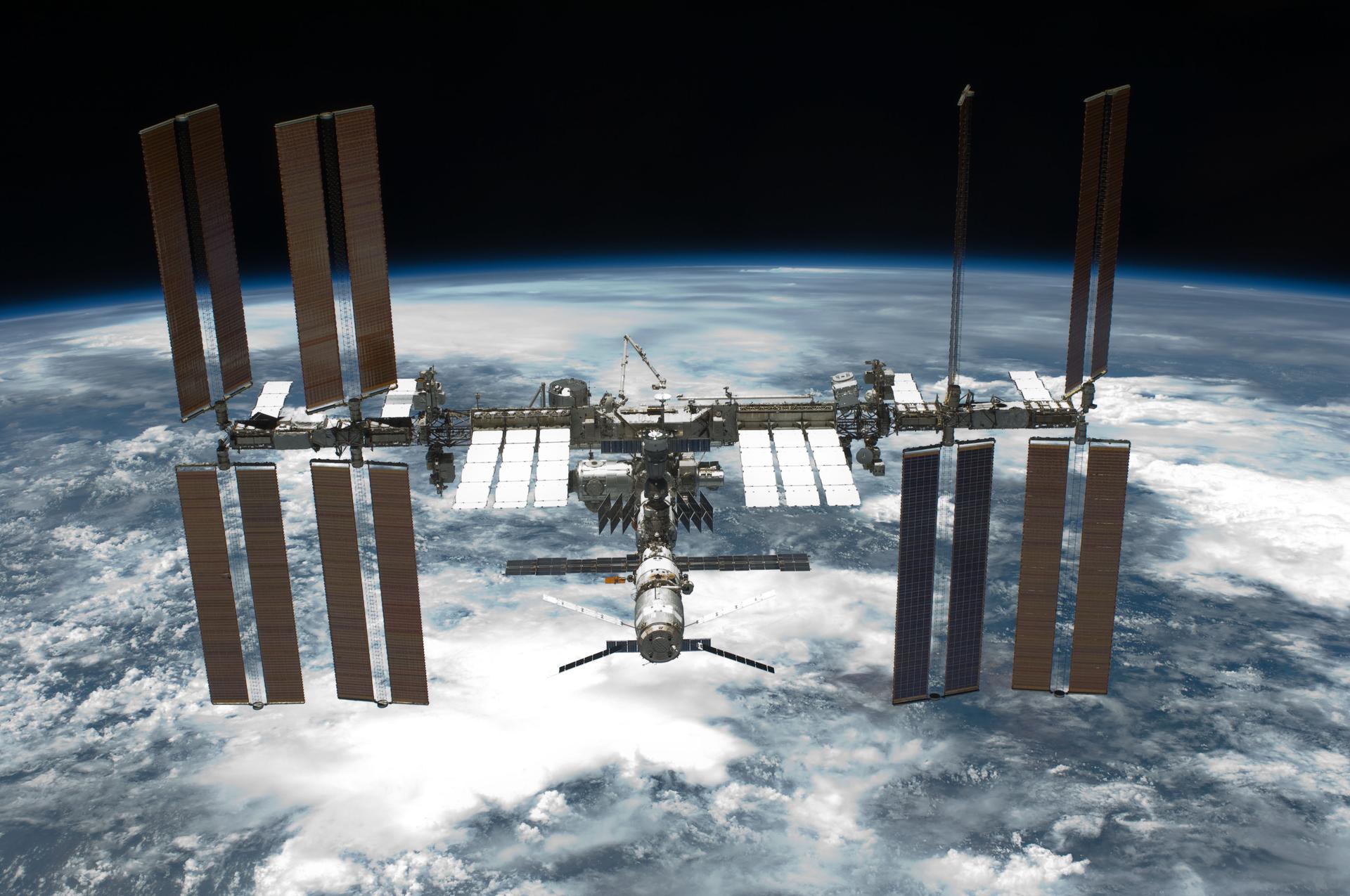
Question: Scroll down to the OTHER FILES list of the HANDBOOK’s home page. Click on the words COLORING BOOK. Find the picture of the International Space Station. Copy and paste it to a WORDPAD file. Copy and paste the text explaining the Space Station beneath the picture. If you had access to a printer, you could print a single copy and make multiple copies for each student to color after you explained the Space Station’s operation. (Again, hold down a left click of the mouse then drag across the text to copy it. Select from the pull down “Edit” field copy. Next click on the document at the location you desire to position the cursor to paste the text into the document beneath the picture. Again, select “Edit” choosing the paste option.)
Activity: From the SPACE COMICS page, select the APOLLO 13 comic. Print each page of the comic on a local printer by clicking through the comic page by page and printing each page. From each 8.5” by 11” printed page, cut out the comic panel. Collate the page panels in proper order into a stack. Stable the stack of pages to create a comic book featuring the Apollo 13 rescue. For extra credit: Go to the SPACE KNOWLEDGE page and print items about the Apollo spaceships. Cut them to the same size as the comic book pages. Place them in the stack of comic pages at a place that will help explain the rescue. To complete the APOLLO 13 comic, have students color each of the pictures. Use graphics in the HANDBOOK to find what colors to use in the comic book pictures. (The HANDBOOK’S SPACE ART home page is helpful in this regard.)
8. Not only do science and math teachers find the HANDBOOK useful, it is created to provide a wealth of educational helps to those teaching the humanities as well. Among OTHER FILES toward the bottom of the HANDBOOK’s home page are numerous such resources: SPACE SOCIAL STUDIES, SPACE ART, SPACE QUOTES, and many other items. Especially useful to humanities instructors is the SPACE SOCIAL STUDIES content.
Question: What did Christa McAuliffe plan to do on her space mission? (Hint: On the HANDBOOK’s home page select QUOTES among OTHER FILES then enter the word “Christa” in the browser’s find field with the QUOTES page selected.
Question: What is the name of the soft drink in space artist Pat Rawlings’s ADVANCED SPACE EXPLORATION painting LATE FOR CLASS? (Hint: Select SPACE ART among OTHER FILES on the HANDBOOK’S home page to find the answer to this question.)
Activity: Using the ASTRONAUT pages, the QUOTES page, and the Shuttle Mission pages, write a theme about Christa McAuliffe’s life. How old was she at the time of the Challenger accident?
9. Though most classrooms have few computers, there are many schools with computers labs of 10 – 40 machines. For those schools with a computer projector, the HANDBOOK is of tremendous value. In such cases, classes with multiple lab machines or a class projector, the SPACE MOVIES CINEMA is exceptionally entertaining and instructional. This content is on a single web page, and is, therefore scrollable and searchable. The movie content is somewhat non-traditional. A portion of the videos are expected content : a shuttle launch, an EVA, Apollo Moon landing, etc. The unusual clips use morphing to achieve interesting comparisons. For example, Neil Armstrong’s Columbia morphs into Columbus’s Santa Maria, the original seven Mercury Astronauts morph into one another as though they were siblings, the lunar lander morphs into the Starship Enterprise, and an EVAing astronaut morphs into a likeness of R2D2 to introduce a lengthy report on robotics.
Question: Scroll down the HANDBOOK’s home page to the icon of a “camcording” Astronaut. Click on this icon for SPACE MOVIES CINEMA and scroll down to the Jules Verne video clip. What is missing from Verne’s ship that is in the final morph view? Incidentally, the entire text of Verne’s FROM THE EARTH TO THE MOON with pictures form the original American 19th Century translation is included in the contents of the HANDBOOK. Go to the HANDBOOK home page scroll down to the title: FROM THE EARTH TO THE MOON INTERACTIVE and click on it. Note how a book can become an electronic text on the web or DVD with chapters, table of contents, illustrations, etc.
Activity: Using the SPACE MUSEUM pages as your resource, investigate Jules Verne’s means of reaching the Moon. Identify facets of Verne’s approach which were fulfilled in Apollo missions. List them.
10. A final use of the HANDBOOK is, perhaps, its greatest feature. Stored on the CDROM are more than 200 Adobe Acrobat .pdf documents. The collective content of these items is greater than the rest of the HANDBOOK. These .pdf files are accessed from the HANDBOOK’s Index Table.
Question: From the HANDBOOK home page scroll down to the HANDBOOK “PDF” page icon of an animated .gif of a page turning book.. Open the HANDBOOK’S PDF PAGE and count the number of .pdf files by scrolling down the page. How many are there?
Activity: From the INDEX page, list the items that are applicable to K-6 level education. Arrange them into a table similar to the INDEX page.
Approach: Use Windows 98’s “find” command. Here’s how:
list of files containing the found word
find command, the Acrobat
.pdf find command, or the Toolbook find command.
Note: Since the contents of more than 5000 files are searched, for each
find query, the search may take several minutes.
CONCLUSION:
The SPACE EDUCATORS’ HANDBOOK owes its success to teachers, students, and users who have passed the word to others about its extensive content. In the beginning, one of the HANDBOOK’s main purposes was educational enjoyment. Additionally, long out of print materials were resurrected as useful resources, updated and adapted to the electronic media. Some of these documents date back centuries. Others were published by NASA in the early years of space exploration. While a modest percentage of the HANDBOOK’s content must be updated annually by virtue of NASA’s on going mission, an overwhelming portion will always remain useful space science resources. Anyone possessing any edition of the CDROM or DVD version will forever possess a wealth of space education resources useful to their respective needs.
* The HANDBOOK DVD is a html document for PC Windows or Macintosh computers with web browsers such as Netscape or Internet Explorer. (Virtually all computers manufactured in the past several years come with a web browser and CDROM/DVD players.)
* Ninety-nine percent of the content (text, graphics, digital movies) is in the public domain except where noted. As such, the content may be freely copied into published works. However, a credit would be appreciated (NASA’s SPACE EDUCATORS’ HANDBOOK) but is not required.
* The HANDBOOK’s web address is: http://er.jsc.nasa.gov/seh .
* The HANDBOOK’s creator, Jerry Woodfill, may be contacted at: 281-483-6331 by phone or by mail at: NASA Johnson Space Center, Mail Code ER7, Houston, Texas 77058 or by e-mail at: jared.woodfill12jsc.nasa.gov to answer Handbook questions.
*Additional DVD copies of the HANDBOOK are available by writing a request letter addressed to the above address and enclosing blank CD-Rs equal to the number of CDs requested.
*The DVD may be copied by users and distributed freely.
*Insert the HANDBOOK DVD in the computer’s CD/DVD drive and click on the drive icon. The HANDBOOK works on either PC Windows or Macintosh computers.
* If mistakes in operation, grammar or spelling are encountered, please contact the creator. Corrections will appear in the next edition of the data DVD.